
How alerting works
Useful rules are active right after install; nothing needs tuning. What makes the difference in daily use is what keeps the noise down: dependency suppression, grouping by host, maintenance windows, and a baseline that learns before it speaks.
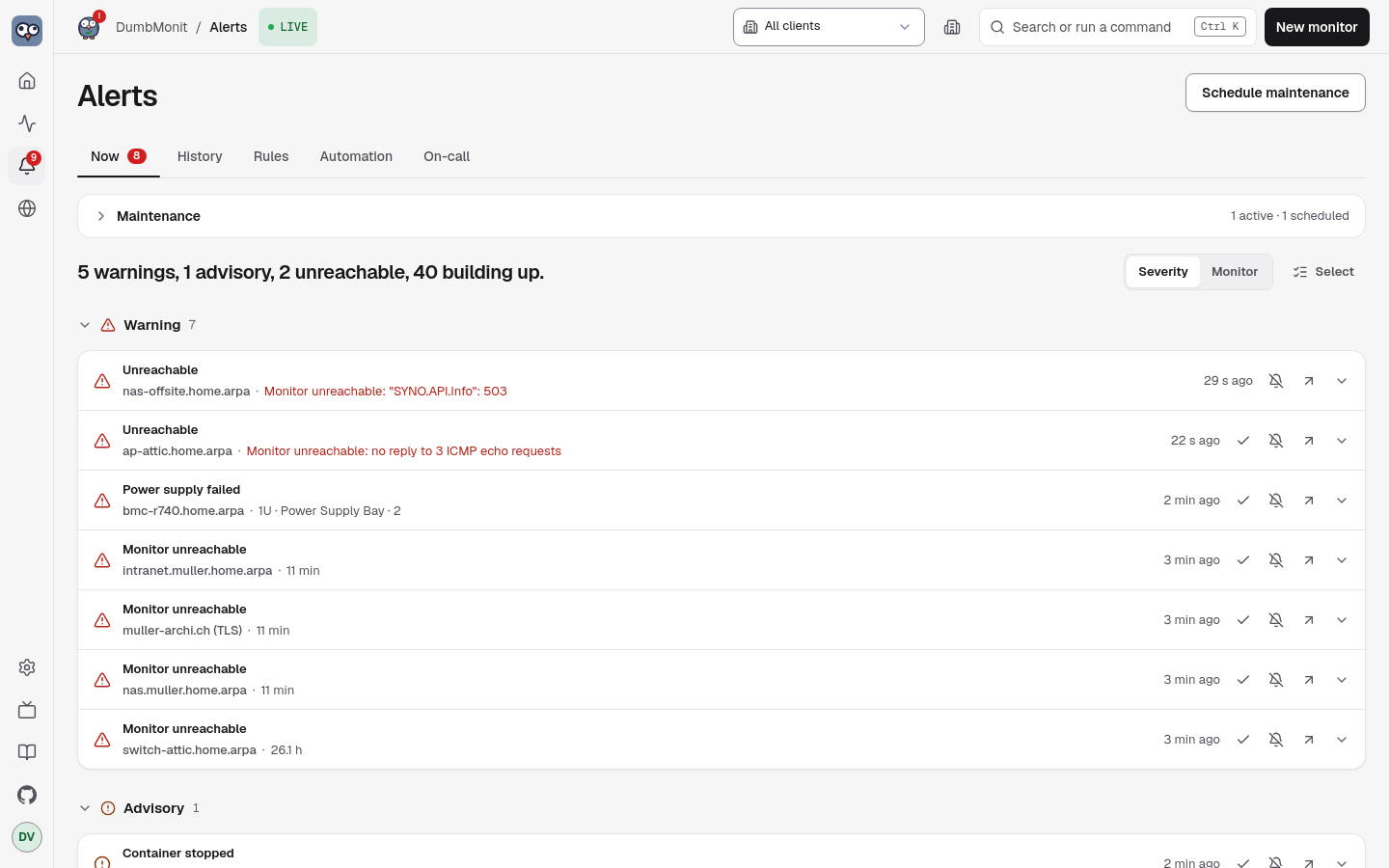
Severities
Section titled “Severities”The interface speaks the weather bulletin’s ladder. The API and the rule editor store the same three levels under their engine names.
| In the UI | In the API (severity) | Meaning |
|---|---|---|
| Info | info | Worth knowing, no action expected. Used by the baseline rule. |
| Advisory | warning | Needs attention soon: CPU high, disk almost full, slow service. |
| Warning | critical | Needs you now: monitor unreachable, service down, backup verification failed, certificate expired. |
Escalation raises a rule’s severity one rung after escalate_after if the
alert keeps firing (Info → Advisory → Warning; Warning stays).
Phases
Section titled “Phases”Every alert is a state machine, evaluated every 30 seconds
(DUMBMONIT_ALERT_INTERVAL_SECS).
| Phase | In the UI | Meaning |
|---|---|---|
ok | — | The condition is false. |
pending | Building up | The condition is true but the rule’s hold (for) has not elapsed yet. Nothing is sent. |
firing | Firing | The condition has held long enough. The first notification goes out, then reminders every repeat_interval (6 hours by default for most built-in rules), then an escalation if configured. |
resolved | Resolved | Back to normal. A resolution notification is sent only if the firing had been announced. |
suppressed | Suppressed by parent | The alert is firing, but a parent monitor is down, or the monitor itself is unreachable: see below. |
phase is the engine’s state; effective_phase is what you read. An alert
whose effective_phase is suppressed keeps phase = firing underneath, so it
is not notified again when the parent recovers.
An alert can also be acknowledged (acked, with acked_by, acked_until
and ack_note): the phase does not move, reminders and escalations pause until
acked_until, the resolution is still notified and clears the acknowledgement.
Snoozing one alert works the same way under the hood but through a
maintenance window scoped to that alert’s exact labels (silenced: true),
rather than the whole monitor: a sibling rule on the same monitor keeps talking.
An alert can be dismissed too (dismissed, with dismissed_by and
dismissed_at): same phase, but nothing is notified any more for that
occurrence — reminders, escalation and resolution alike — and GET /api/alerts
stops listing it. The dismissal clears with the condition, so a later return is
a new alert.
See Getting rid of an alert.
Dependency suppression
Section titled “Dependency suppression”Any monitor can declare a parent monitor. When a monitor is down, every
alert on its descendants is marked Suppressed by parent instead of being
sent: a switch going down produces one notification, not thirty. The nearest
ancestor that is down is named as the cause (suppressed_by), and the chain
is followed up to 64 levels.
A monitor is down when one of these alerts fires on it, whatever the cause:
- Monitor unreachable: no measurement at all (an SNMP device that stopped answering, an agent that stopped pushing);
- Service down: its availability check runs but fails (a ping with 100 % loss, an HTTP check that errors or times out, a closed TCP port, and so on).
A plain warning on the parent (disk full, high CPU, slow service, a certificate about to expire) does not hide anything: the device still answers, and so does what sits behind it. The parent keeps its own alert and its notification; when it recovers, the children that are still down fire and are notified on their own.
The same applies to an unreachable monitor itself: its other alerts (disk
full, CPU, and so on) are suppressed by its own outage, with suppressed_by
naming the monitor itself, since their readings are stale and they are only a
symptom of the same failure. Its “Monitor unreachable” alert is the only one
never hidden by its own outage, so you are still told once.
Set the parent on the monitor form. On the Monitors page, children stack under their parent and dim when it is down.
A relay agent counts as a parent of every monitor it probes (Reached through on the monitor form), in addition to the parent set explicitly: when the relay is down, its monitors are suppressed with the relay named as the cause. At equal distance, the explicit parent wins.
A parent also counts as down as soon as its own probe says so (the Timed out, Monitor unreachable or Service down status on its page), without waiting for its alert to fire: an agent that stops pushing takes its monitors with it a minute or two before its own alert, and a switch whose ping just failed hides its children before its “Service down” hold has elapsed; they would otherwise each notify first.
Grouping, deduplication, reminders
Section titled “Grouping, deduplication, reminders”Without grouping, a NAS whose RAID degrades would send one message per disk,
per cycle. DumbMonit sends at most one message per host and per cycle, even if
it contains five lines. Each alert is notified once when it starts firing
(firing), then only as a reminder (reminder, every repeat_interval), an
escalation (escalation) or a resolution (resolved). The alert history
records every transition with whether it was notified and, if not, why
(learning, suppressed, silenced, acknowledged).
Maintenance windows
Section titled “Maintenance windows”A silence stops notifications without stopping evaluation: at the end of a window, an alert that is still active is notified once, rather than “born” after two hours of existence. Windows are one-off or weekly, per monitor or for the whole instance. See Maintenance windows.
Baseline learning
Section titled “Baseline learning”The “Unusual CPU” rule needs no threshold. For every series it keeps 168
buckets, one per (day of week, hour), and compares each point to what is
usually observed at that moment. The score is robust (median and MAD, an
EWMA per bucket with alpha = 0.05), so a single incident does not rewrite the
baseline, and seasonal drifts are followed.
The rule stays silent for its first fourteen days of learning: each bucket must have been seen at least twice to tell “unusual” from “never observed”. In the meantime it is shown with a learning flag and only tells you what it would have fired. Baselines of series that disappeared are forgotten after 60 days.
Forecasts
Section titled “Forecasts”Two kinds of alert predict rather than report, and the overview lists them
under Forecasts: the baseline anomaly, and the predict rules that
extrapolate a series with predict_linear() on the VictoriaMetrics side
(“Filesystem almost full” within four days). The PBS datastore estimate is a
plain threshold on PBS’s own forecast.
Where notifications go
Section titled “Where notifications go”Built-in rules have no channel attached, which means every enabled channel. A rule you edit can name specific channels. Channels are configured in Settings → Notifications; see Notification channels.
Smart notifications
Section titled “Smart notifications”Everything above decides whether an alert may speak. A second stage, the notification policy, decides when and on which channel, so that nobody gets spammed. The full path of one alert, in order:
- Evaluate — threshold, anomaly score or forecast, with the rule’s
hold (
for) and, when set, its clear threshold (hysteresis: fire above 90 %, clear only under 85 %) and any per-monitor override. - Deduplicate — one fingerprint per (rule, series), keyed on the
monitor id (
target) rather than its name: renaming a monitor or editing its tags does not create a second alert, and a series that resolves to the same key twice yields one alert. Series of a monitor that was deleted or paused are dropped: their alerts clear at once, without any notification, and the history recordsdevice removed or disabled. - Suppress by dependency — descendants of a monitor that is down stay quiet.
- Silence — maintenance windows mute what they cover.
- Group by monitor — one message per monitor per cycle, reminders and escalation folded in.
- Flap hold — a fingerprint that fires and clears 4 times in 30 minutes sends a single “flapping” notice, then nothing for 30 minutes.
- Per-channel filters — minimum severity, “tell me when it clears” on/off, and a minimum interval between two messages about the same alert.
- Quiet hours (per channel) — only Warning-level alerts come through; the rest waits for a digest when quiet hours end (an alert that clears meanwhile is only mentioned as “resolved during quiet hours”).
- Batching — alerts within the batch window (60 s by default) leave as one message per channel: “3 alerts on 2 monitors, 1 resolved”.
- Hourly cap — past
max_per_hourmessages on a channel, alerts wait and arrive as one digest (“…and 7 more alerts”). - Send — with an “Open in DumbMonit” link per monitor when a public URL is known.
Steps 6 to 10 are configured in Settings → Notifications → Notification policy (global) and on each channel (Delivery options). See Notification policy.