
Install with Docker
DumbMonit runs as one container: the dumbmonit server (collection, API,
alerting, web UI) starts its own VictoriaMetrics for time series storage; the
binary ships in the image. Configuration and state live in an embedded SQLite
database. One volume, /data, holds the database, the instance secret and the
time series.
Prerequisites
Section titled “Prerequisites”- Docker Engine with the Compose plugin (
docker compose versionworks). - A machine that can reach the monitors you want to monitor. It does not need to be reachable from them, except for agents, which push their measurements to the server over its encrypted agent port (TCP 8443, see Agent channel security).
- Port
8080free on the host, or another port of your choice (see below).
The Compose file
Section titled “The Compose file”This is the whole docker-compose.yml (no .env file needed); save it in a
directory of its own:
services:  dumbmonit:    image: ghcr.io/laupernoe/dumbmonit:latest    ports:      - "8080:8080"      # Encrypted agent channel: see Agent channel security.      - "8443:8443"    volumes:      - dumbmonit-data:/data      # Or a host directory; on a SELinux host (Fedora, RHEL) add `:Z`:      # - ./dumbmonit:/data:Z    # environment:    #   PUID: "1000"   # owner of the files in /data (default 65532)    #   PGID: "1000"    restart: unless-stopped    stop_grace_period: 30s    read_only: true    tmpfs: [/tmp]    # Starts as root only to give /data to user 65532 (or PUID/PGID), then    # drops root for good: a host directory works as it is. Remove `user` and    # `cap_add` to run as 65532 from the start (the files must belong to it).    user: "0:0"    cap_drop: [ALL]    cap_add: [CHOWN, DAC_READ_SEARCH, SETUID, SETGID]    security_opt: ["no-new-privileges:true"]    sysctls:      net.ipv4.ping_group_range: "0 2147483647"
volumes:  dumbmonit-data:    name: dumbmonit-data
Then start it:
docker compose up -dThe published image is pulled; the read-only file system, the capabilities,
PUID/PGID and the ping_group_range sysctl are explained in
Permissions and the data directory and
ICMP ping without a capability. Options
(port, secret, retention, external VictoriaMetrics, screenshots) are
environment variables you add yourself.
Embedded VictoriaMetrics
Section titled “Embedded VictoriaMetrics”The image contains the VictoriaMetrics binary (/victoria-metrics-prod, from
victoriametrics/victoria-metrics:v1.154.0). When DUMBMONIT_VM_URL is not
set, the server starts it as a child process listening on 127.0.0.1:8428,
stores its series under /data/vm, forwards its log lines into its own log,
restarts it with a backoff if it dies and stops it at shutdown. Nothing is
published: the port stays inside the container.
Two variables are worth knowing: DUMBMONIT_VM_RETENTION (12 months by
default; 30d or 2y work too) and DUMBMONIT_VM_MEMORY (256MB, the
budget of its caches; raise it for hundreds of hosts). The rest is in the
configuration reference.
To use a VictoriaMetrics you already run, set DUMBMONIT_VM_URL to its
address (http://host:8428): the embedded one is then not started and
/data/vm stays empty.
Long-term history and logs
Section titled “Long-term history and logs”Raw data is kept for the retention above, which you can also change in
Settings → System → Data & retention. Next to it, the server writes
5-minute aggregates into a second embedded VictoriaMetrics (/data/vm-long,
730 days, 64 MB of cache), and graphs, status pages and reports that reach back
further than the raw retention are answered from it. VictoriaLogs
(/victoria-logs-prod, /data/vlogs) is also in the image but off until you
turn it on in the same place; the Logs page then searches the server’s
logs. All variables are in the
configuration reference;
disk and memory figures are in Sizing.
First start
Section titled “First start”Open https://<your-host>:8080. The browser warns once about the
self-signed certificate (see HTTPS and encryption). A fresh instance shows the /setup screen,
where you create the first administrator account (password of at least 12
characters).
The screen first asks for the setup code. While no administrator exists, the server prints a one-time code in its logs at startup:
docker compose logs dumbmonit | grep -A1 "setup code" First-run setup code: K7XQ4-M9PRTIt proves that whoever creates the admin account runs the server, so someone
else on the network cannot claim a fresh instance first. The code lives in
memory only, changes at every restart until an admin exists, and wrong
attempts are rate-limited. For an automated deployment, set
DUMBMONIT_SETUP_CODE to choose it yourself.
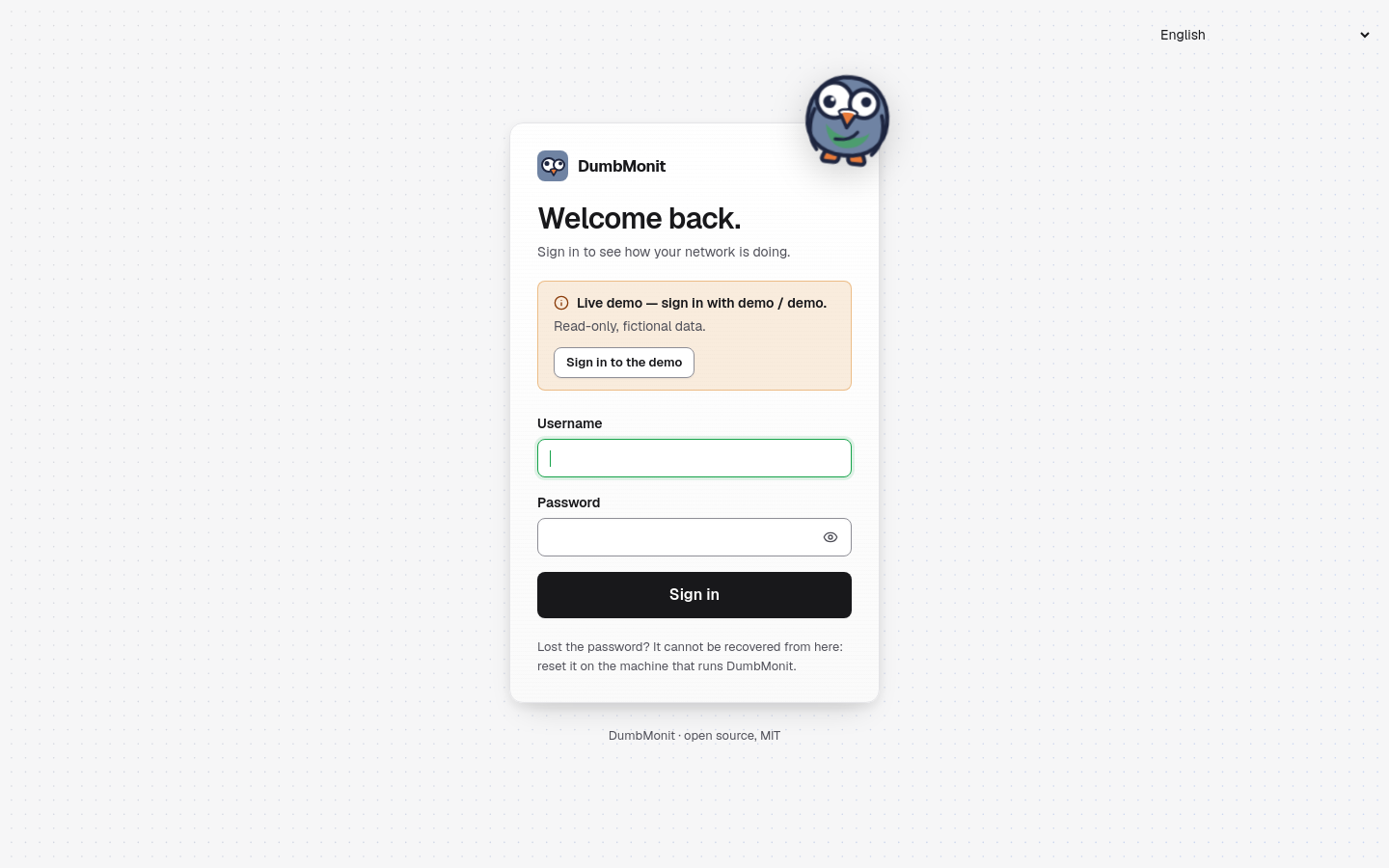
Then add your first monitor: see Add your first monitor.
Container health
Section titled “Container health”The image defines its own Docker HEALTHCHECK, so Docker, Portainer and Unraid
show the container as healthy without any extra setting. It runs
dumbmonit healthcheck, which calls /api/health on the port set by
DUMBMONIT_BIND (8080 by default) from inside the container. The image has no
shell or curl, so do not replace it with a curl-based check in your Compose
file.
Environment variables
Section titled “Environment variables”Everything goes through environment variables; none is required. Add the ones
you need under environment: of the service, as shown in
Advanced options.
| Variable | Default | Role |
|---|---|---|
DUMBMONIT_BIND | 0.0.0.0:8080 | Listen address inside the container. |
PUID / PGID | 65532 | With user: "0:0": user and group the server runs as, and owner of the files in /data (details). DUMBMONIT_PUID / DUMBMONIT_PGID work too. |
DUMBMONIT_DATA_DIR | /data | SQLite database (dumbmonit.db), instance secret (secret.key) and the embedded VictoriaMetrics data (vm/). |
DUMBMONIT_VM_URL | (unset) | URL of an external VictoriaMetrics. When set, the embedded one is not started. |
DUMBMONIT_VM_RETENTION | 12 | Retention of the embedded VictoriaMetrics: months, or 30d, 2y. |
DUMBMONIT_VM_MEMORY | 256MB | Memory budget of the embedded VictoriaMetrics’ caches. |
DUMBMONIT_VM_LISTEN | 127.0.0.1:8428 | Listen address of the embedded VictoriaMetrics, inside the container. |
DUMBMONIT_SECRET | (generated) | Instance secret that encrypts monitor credentials and tokens. |
DUMBMONIT_MAX_CONCURRENT_PROBES | 64 | Concurrent probes, all collectors combined. |
DUMBMONIT_PROBE_TIMEOUT_SECS | 10 | Maximum duration of one probe. |
DUMBMONIT_FLUSH_INTERVAL_SECS | 5 | Write period towards VictoriaMetrics. |
DUMBMONIT_LOG | info | Log filter (tracing syntax, e.g. debug, dumbmonit=trace). |
DUMBMONIT_AGENT_DIR | /agents | Agent binaries served under /download/…. |
DUMBMONIT_RESET_PASSWORD | (empty) | Set to 1 to clear the password and every session at startup. |
DUMBMONIT_SETUP_CODE | (generated) | Setup code asked by /setup while no admin exists. Unset, a random one is printed in the logs at each start. |
DUMBMONIT_TLS_CERT / DUMBMONIT_TLS_KEY | (self-signed) | PEM certificate chain and key to serve; re-read when they change. See HTTPS and encryption. |
DUMBMONIT_ALERT_INTERVAL_SECS | 30 | Alert evaluation period (never below 10). |
DUMBMONIT_ALERT_HISTORY_DAYS | 90 days | Retention of alert history. See the configuration reference for a caveat about its unit. |
DUMBMONIT_BACKUP_ENABLED | on | Scheduled local backups of the database into /data/backups/. DUMBMONIT_BACKUP_DIR, _INTERVAL_HOURS (24) and _KEEP (7) tune them; see Backup and restore. |
The full list, with details, is in the configuration reference.
EZYMONIT_* names from before the rename are still read as a fallback; see
Upgrading.
Back up the secret key
Section titled “Back up the secret key”SNMP communities, passwords and API tokens are encrypted with AES-256-GCM using a
key derived from the instance secret. On first start, DumbMonit generates this
secret in /data/secret.key (inside the dumbmonit-data volume).
If you prefer to own the secret, set DUMBMONIT_SECRET in the Compose file
(example) instead (32 random characters or more). Keep it in your password manager.
Upgrading
Section titled “Upgrading”docker compose pulldocker compose up -dDatabase migrations run at startup. VictoriaMetrics data is untouched.
Bind mounts
Section titled “Bind mounts”An existing docker-compose.yml keeps working as it is: the image still runs
as user 65532. The new file adds user: "0:0" and a cap_add line so that a
host directory works without preparation (Permissions); copy
these two lines if you want to move to a bind mount.
From EzyMonit, and from the two-container setup
Section titled “From EzyMonit, and from the two-container setup”DumbMonit was called EzyMonit until September 2026, and ran as two containers,
the server and a separate victoriametrics service. Upgrading needs the data
of the old project moved into the new volume once. The old project was named
ezymonit (its volumes ezymonit_ezymonit-data and ezymonit_vm-data;
docker volume ls confirms). From the old directory:
docker compose downThen, with the new docker-compose.yml:
docker volume create dumbmonit-datadocker run --rm -v ezymonit_ezymonit-data:/from -v dumbmonit-data:/to alpine cp -a /from/. /to/docker run --rm -v ezymonit_vm-data:/from -v dumbmonit-data:/to alpine sh -c 'mkdir -p /to/vm && cp -a /from/. /to/vm/'docker compose up -dThe old VictoriaMetrics data directory has the layout the embedded one uses:
nothing to convert. The alternative is to keep the external VictoriaMetrics and
point DUMBMONIT_VM_URL at it.
What the server handles on its own at the first start:
EZYMONIT_*variables are still read as a fallback, with one startup warning per variable (EZYMONIT_X is deprecated, use DUMBMONIT_X)./data/ezymonit.dbis renamed todumbmonit.db.- Agent tokens
ezym_…keep working; new enrolment secrets start withdmon_. Agents keep pushing; re-run the install command on each machine when convenient, it migrates the old service in place. - The session cookie changed name: everyone logs in again once. The browser’s theme preference is carried over.
What it does not handle: the metric prefix changed from ezymonit_ to
dumbmonit_ with no compatibility. The old series stay in VictoriaMetrics under
the old name and age out with the retention; graphs and built-in rules restart
from the upgrade. Custom alert rules that name ezymonit_… metrics must be
edited.
Backup and restore
Section titled “Backup and restore”One named volume, dumbmonit-data, holds everything:
| Path | Contents |
|---|---|
dumbmonit.db | Monitors, rules, channels, alert state, sessions. |
secret.key | The instance secret. |
backups/ | The scheduled local backups: a copy of the database and of the secret, daily by default, seven kept. |
vm/ | VictoriaMetrics time series (12 months of retention by default). |
vm-long/ | 5-minute aggregates, the long-term history (730 days by default). |
vlogs/ | VictoriaLogs data, only if you enabled the log store. |
DumbMonit backs its own database up on a schedule, and exports the whole
configuration — monitors, credentials, rules, channels — as a single file
encrypted with a passphrase you choose, which restores onto a fresh instance.
Both are in Backup and restore, together with what to do before
an upgrade and the one rule about secret.key that is worth reading twice.
To archive the volume itself, graphs included, stop the stack and tar it:
docker compose stopdocker run --rm -v dumbmonit-data:/data -v "$PWD:/backup" alpine \ tar czf /backup/dumbmonit-data.tgz -C /data .docker compose startTo restore, create the volume, extract the archive into it the same way, then
docker compose up -d.
If space matters, --exclude=./vm keeps the archive small: the database and
the secret are the setup, vm/ is only the graphs.
Advanced options
Section titled “Advanced options”The Compose file above has no variables on purpose. To change a setting, add an
environment: block (or one line in it) under dumbmonit: in your
docker-compose.yml, then run docker compose up -d again. The container is
recreated; the data volume is kept.
Another port. Change the left side of the mapping; the container still listens on 8080:
ports: - "8099:8080"Your own secret, instead of the one generated in /data/secret.key. It
encrypts monitor credentials: losing it means re-entering every one of them.
environment: DUMBMONIT_SECRET: replace-me-with-32-random-charactersRetention and memory of the embedded VictoriaMetrics (months, or 30d /
2y; a homelab of a few dozen monitors fits in 256 MB):
environment: DUMBMONIT_VM_RETENTION: "24" DUMBMONIT_VM_MEMORY: 512MBExternal VictoriaMetrics; the embedded one is then not started:
environment: DUMBMONIT_VM_URL: http://victoriametrics:8428Lost password. Add the line below, run docker compose up -d, create the
first admin again in the UI (monitors, rules and channels stay), then remove the
line and run docker compose up -d once more:
environment: DUMBMONIT_RESET_PASSWORD: "1"Screenshots of website changes: a headless Chromium next to the server; see Screenshots of website changes below.
More variables: configuration reference.
Screenshots of website changes
Section titled “Screenshots of website changes”The website-change monitor always compares the visible text of the pages. Keeping a screenshot of each new version needs a browser, and the DumbMonit image has none: a headless Chromium runs as a second service, and DUMBMONIT_BROWSER_URL tells the server where to find it.
Add these lines to your docker-compose.yml, then run docker compose up -d:
services: dumbmonit: environment: DUMBMONIT_BROWSER_URL: http://browser:9222 browser: image: chromedp/headless-shell:stable shm_size: 256m restart: unless-stoppedbrowseris the service name; on the Compose network,http://browser:9222resolves to it. Nothing publishes its port: only DumbMonit talks to it.shm_size: 256m: Chromium renders in/dev/shm, and Docker’s default 64 MB is too small for a long page.- Any Chromium started with
--remote-debugging-portworks;chromedp/headless-shellis the image used here.
Without a browser, everything else works as usual (text comparison, alerts, before/after copies); the snapshots just have no image. While the server cannot reach a browser, the form of a website-change monitor shows a notice with these lines.
If the notice stays after the restart, check docker compose logs browser, that the host name in DUMBMONIT_BROWSER_URL is the service name, and that both services are in the same Compose project.
Reverse proxy
Section titled “Reverse proxy”The UI and the API are served on one port, which only speaks HTTPS (plain
HTTP gets a redirect, see HTTPS and encryption). A reverse proxy must
therefore connect to the container over HTTPS (https://dumbmonit:8080), with
certificate verification off for that hop or the DumbMonit certificate trusted. No WebSocket is used: the interface
polls the API, so any reverse proxy works without special configuration.
Forward the scheme (X-Forwarded-Proto, sent by default by Caddy and Traefik)
and declare the proxy in DUMBMONIT_TRUSTED_PROXIES: a request that carries
forwarded headers is never redirected by DumbMonit itself, and from a
trusted proxy X-Forwarded-Proto: https turns HSTS on.
monit.example.com { reverse_proxy https://127.0.0.1:8080 { transport http { tls_insecure_skip_verify } }}server { listen 443 ssl; server_name monit.example.com; # ssl_certificate / ssl_certificate_key …
location / { proxy_pass https://127.0.0.1:8080; proxy_ssl_verify off; proxy_set_header Host $host; proxy_set_header X-Forwarded-Proto $scheme; # Agents send catch-up batches after an outage: client_max_body_size 16m; }}The session cookie is always Secure (__Host-dumbmonit_session), so the
browser must reach DumbMonit over HTTPS: directly, or through a proxy that
terminates TLS. There is no switch for it.
Permissions and the data directory
Section titled “Permissions and the data directory”The server never runs as root. By default the image runs as user
65532:65532, and a named volume created by Docker already belongs to it.
A bind mount (./dumbmonit:/data), on the other hand, keeps the owner of the
host directory, often root when Docker created it. That is why the Compose file
above starts the container as root (user: "0:0"). The server then stays root
only for an instant: before it opens the database, starts VictoriaMetrics or
listens on the network, it gives /data to 65532:65532 (only the entries
that belong to someone else, without following symbolic links), drops root for
good and checks that it cannot get it back. The four capabilities in cap_add
are only for this step; none is left afterwards. no-new-privileges and a
read-only root file system stay on: /data and /tmp are the only writable
paths.
Choosing the owner: PUID and PGID. With user: "0:0", set the uid and
gid the server runs as; the files are handed to them at startup:
environment: PUID: "1000" PGID: "1000"DUMBMONIT_PUID / DUMBMONIT_PGID work too and take precedence. 0 is
refused. On Unraid, PUID=99 and PGID=100 match the usual owner of
appdata. Without user: "0:0", PUID/PGID are ignored.
Without user: "0:0" (a plain docker run -v ./data:/data, or --user 1000:1000), nothing changes owner and /data must already be writable. If it
is not, the server stops and suggests --user 0:0 first, then
sudo chown -R 65532:65532 ./data on the host for a bind mount, or for a named
volume:
docker run --rm -v dumbmonit-data:/data alpine chown -R 65532:65532 /dataSELinux and Podman
Section titled “SELinux and Podman”On a host where SELinux is enforcing (Fedora, RHEL, CentOS Stream, AlmaLinux…),
a bind mount is refused to the container, root included, until it carries a
container label. Add :Z to the volume, or :z if other containers share the
directory:
volumes: - ./dumbmonit:/data:ZWithout it, the server stops with the host enforces SELinux and the volume has no container label. Named volumes are labelled by Docker and need nothing.
Rootless Podman works the same way, with --user 0:0. Root in the container is your own user on
the host, and the files of a bind mount go to uid 65532 of the container, which
the host shows as one of your sub-uids (165531 with the usual
/etc/subuid). Read them with podman unshare ls -l ./dumbmonit. To keep them
under your own uid instead, run the container as yourself; nothing changes
owner then:
podman run --userns keep-id --user "$(id -u):$(id -g)" -v ./dumbmonit:/data:Z …ICMP ping without a capability
Section titled “ICMP ping without a capability”The ping monitor sends ICMP echoes. Rather than
a raw socket — which needs NET_RAW, and a capability granted to a non-root
container user is not usable anyway — it uses an ICMP echo socket, which Linux
allows to the groups listed in net.ipv4.ping_group_range. The Compose file
sets that sysctl inside the container’s own network namespace:
services: dumbmonit: sysctls: net.ipv4.ping_group_range: "0 2147483647"Nothing on the host changes. Docker 20.10 and later set this range in every
container on their own; the explicit lines make it hold on older engines and
on Podman. Without it, the check reports a configuration error (shown on the
monitor, not notified), never a false “host down”. With docker run, pass
--sysctl net.ipv4.ping_group_range="0 2147483647". While the server cannot open an ICMP socket, the form of a ping monitor shows a notice with these lines.
Testing without hardware
Section titled “Testing without hardware”Add a demo monitor: it produces fake measurements with
nothing to prepare, so the graphs, rules and notifications can be tried right
away. For real SNMP data, the machine running Docker is often enough — install
snmpd on it (apt install snmpd, allow the public community on the Docker
bridge in /etc/snmp/snmpd.conf) and add an SNMP device with the host’s
address on that bridge (172.17.0.1 by default): the profile is detected
automatically and interfaces, memory and processes show up.
Developers can add the docker-compose.dev.yml overlay to publish the embedded
VictoriaMetrics on the host’s :8428 for direct MetricsQL queries:
docker compose -f docker-compose.yml -f docker-compose.dev.yml up -d